Last year, a school principal told me something that stuck. “Our teachers are great, our results are good, but parents keep choosing the school down the road.” When we opened both websites side by side, the answer was obvious. Theirs loaded in two seconds and had a big “Apply Now” button. Hers took eight seconds and had no fee details anywhere.
That’s the reality of private school website development today. Parents search on their phones, often late at night after the kids are asleep, and they decide fast. This guide covers everything about private school website development in plain words: what a good site needs, how to design it, and how to get it found on Google. No tech background required.
Why Private School Website Development Matters More Than a Brochure
Parents decide in seconds
Nobody reads a school website like a book. Parents land on the homepage, glance around, and make a gut call. Does this look like a school I’d trust with my child? If the photos are blurry, the text is crowded, or the site looks like it was built in 2012, they leave. They won’t tell you why. You’ll just never hear from them.
They compare you with other schools
A parent rarely looks at one school. They usually have three or four tabs open, checking fees, location, teachers, and results. Whichever school answers their questions fastest tends to win the phone call. Good private school website development makes your school the easiest one to understand in that stack of tabs.
Planning Your Private School Website Development Project
Most badly built school websites didn’t fail at design. They failed at planning. Someone jumped straight into colors and layouts without asking what the site was supposed to do.
Think about who actually uses the site
Parents are the main visitors, sure. But current students check the calendar, teachers look for job openings, and old students search for alumni news. Each group wants something different. A parent of a three-year-old wants to know about admission age and fees. A parent of a Grade 9 student wants exam schedules and circulars. Write these needs down before you build anything.
Decide what the site should do
Be specific. “Look good” isn’t a goal. Before you start private school website development, set a target that sounds like this: get 40 admission inquiries a month, stop answering the same fee question on the phone twenty times a day, or let parents pay fees online without standing in a queue. When you have a target, it’s much easier to say yes or no to design ideas.
Pick who builds it
You can hire a freelancer, use a school website design company, or try a do-it-yourself builder. A freelancer is cheaper but may disappear after launch. An agency costs more but usually gives you a team and ongoing support. Whoever you pick for private school website development, see their past work first.
Private School Website Design That Actually Works
Good private school website design is boring in the best way. Visitors shouldn’t have to think. They should find what they came for and move on.
Keep the menu short
Five to seven menu items is enough. About Us, Admissions, Academics, Campus, Gallery, News, Contact. That’s it. I’ve seen school sites with fourteen menu items and dropdowns inside dropdowns. Parents give up. If someone wants admission details, it should take one tap.
Use your own photos
Stock photos are easy to spot. A bunch of perfectly smiling kids in matching uniforms who clearly don’t attend your school feels fake, and parents can tell. Take real pictures of your classrooms, your playground, your Annual Day, and your teachers mid-lesson. They don’t need to be perfect. They need to be real. A one-minute campus video on the homepage works even better, as long as it’s compressed so the page doesn’t crawl.
Design for the phone first
Think about where you read things when you’re relaxing in the evening. On your phone. Parents do the same. If your buttons are too small to tap or your text needs zooming, you’ve lost them. Google also looks at the mobile version of your site first when deciding rankings, so this one affects SEO too.
Keep colors and fonts simple
Stick to your school logo colors, two or three at most. Use one clean font for headings and another for the body. Leave white space around things. A calm layout makes a school look organized, and that matters to parents.
Features Every Private School Website Should Have
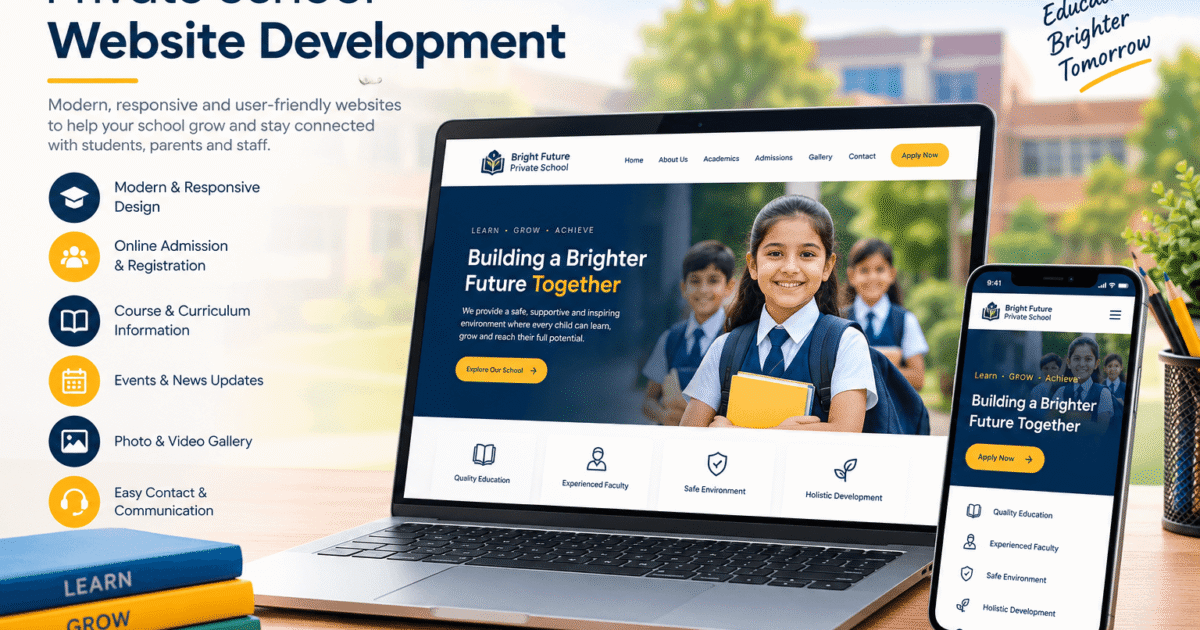
Good educational website design is more than a nice look. It’s about what the site lets people do. During private school website development, these are the features worth planning for.
An admission inquiry form that’s short
This is the most valuable thing on your site. Put an “Enquire Now” button on every page, not just the Admissions page. Keep the form to four fields: parent name, phone number, child’s class, and a short message. Every extra field drops the number of people who finish it. And make sure the inquiry lands straight in your admissions team’s inbox or WhatsApp, because a lead that sits unread for three days has gone cold.
Virtual tour and gallery
Plenty of parents, especially working ones, can’t visit during school hours. A virtual tour or a well-organized gallery lets them see your labs, library, and sports ground from the sofa. By the time they visit in person, they’ve already half decided.
Events calendar and news
A calendar showing exams, holidays, and events saves your office from endless phone calls. A news section proves the school is alive and active. Google likes fresh content too, so it helps your rankings quietly in the background.
Parent portal and online fees
If you can, offer a login where parents can see attendance, download report cards, and pay fees. It cuts paperwork for your staff, and parents love not queuing at the accounts window. It’s a bigger build, so plan the budget early.
Faculty page with real faces
This is the most ignored page on most school sites, and one of the most read. Parents want to know who’ll teach their child. A photo, qualifications, and two lines about each teacher go a long way.
Results and parent reviews
Board results, awards, and short comments from parents act as proof. Use real names where people are happy to share them. One honest line from a parent is worth more than a paragraph of your own praise.
SEO for School Websites: Getting Found on Google
You can build the nicest school website in your city, but if nobody finds it, it’s like a great school on a road with no signboard. SEO is simply the work of putting up that signboard so Google can send the right people to you. It should be part of private school website development from day one, not something you add after launch.
Start with what parents type
Forget fancy terms. Parents type things like “best CBSE school near me,” “school admission 2027,” or “private school in Ahmedabad fees.” Use phrases like these in your page titles, headings, and text, but only where they read naturally. If a sentence sounds strange when you read it aloud, rewrite it.
Get the basics right on every page
On-page SEO is what you control inside each page. Here’s the short version:
- Give every page a clear title with the main keyword in it
- Write a meta description that makes someone want to click
- Use only one H1 per page, then H2 and H3 under it
- Add alt text to images so Google understands them
- Link your pages to each other, like the homepage to Admissions
Don’t ignore local SEO
Parents want a school close to home, so Google shows local results first. Claim your Google Business Profile and fill in everything: address, phone, timings, photos, website link. Then ask a few happy parents to leave honest reviews. Also keep your school name, address, and phone number identical everywhere online. Tiny differences confuse Google, and that can push you out of the map results.
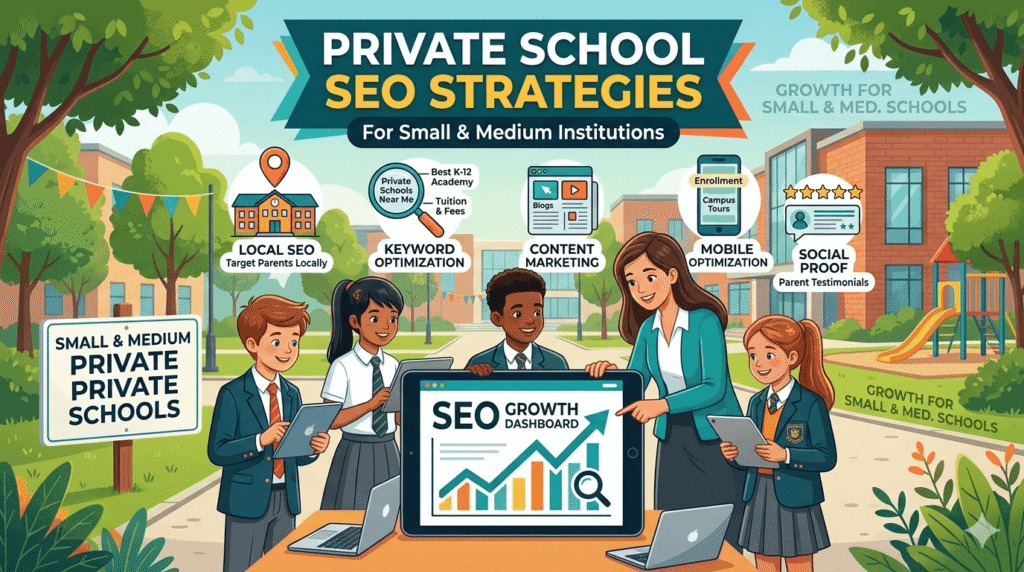
Also Read: Private School SEO Guide for Small and Medium Institutions
Fix speed and technical problems
You don’t need to understand the code, but you should ask your developer about these:
- Are images compressed so pages load fast?
- Is the site on HTTPS, with the little padlock in the browser?
- Has an XML sitemap been submitted to Google?
- Are there any broken links leading to dead pages?
A slow or broken site frustrates parents and Google both.
Write useful blog posts
A blog is one of the cheapest ways to bring in new visitors. Write about questions real parents ask. How to pick a school for a four-year-old. What to pack for the first week of nursery. How your school handles homework. Every useful post is one more door into your website.
Earn a few good backlinks
A backlink is a link from another website to yours. Local news sites, school directories, and community pages can all link to you. A handful of links from trusted sources beats hundreds from random spammy sites. Quality wins here.
Custom Design or Ready-Made Template?
Schools ask this all the time, and there’s no single right answer.
For private school website development, templates are cheaper and quicker. For a very small school with a tight budget, they’re fine to start with. The downside is they tend to look like everyone else’s site, they often carry extra code that slows things down, and you can’t easily add things like a custom admission flow.
Custom school website development costs more at the start. But the site is built around how your school actually works. You get your own layout, your own forms, and room to add a parent portal later. Over three or four years, custom usually pays for itself through better inquiries and fewer limits. If you’re serious about growing admissions, I’d lean custom.
How to Choose a School Website Design Company
Picking the wrong partner is an expensive mistake. Here’s what to check:
- Have they built school sites before? Ask whether they have handled private school website development, not just business sites, and open their live examples on your phone.
- Do they understand SEO? A pretty site that Google can’t read is half a job.
- Is the pricing clear? You should know what’s included: design, content, hosting, and support.
- What happens after launch? Websites need updates. Ask who you call when something breaks.
- Can you talk to past clients? Two phone calls can save you months of regret.
Proper school website development services should cover design, development, SEO setup, mobile optimization, and maintenance. If someone only talks about how “beautiful” the design will be, keep looking.
Common Mistakes in Private School Website Development
After seeing a lot of school sites, the same problems keep showing up:
- Pages full of text with no clear next step
- News and events from two years ago still on the homepage
- Giant photos that make the site painfully slow
- Mobile layouts that break or never got built
- Fees and admission rules hidden or missing
- SEO treated as an afterthought, after launch
- A site that never gets updated once it’s live
Fix even three of these, and you’ll be ahead of most schools nearby.
Conclusion
A good school website does a few simple things well. It looks trustworthy, it answers parents’ questions quickly, and it helps Google send the right families your way. Private school website development works best when you plan first, keep the design clean, include features parents really use, and build SEO in from the start. And don’t treat it as a one-time job. Update events, add new photos, post helpful articles, and check that your inquiry form works.
If your current site feels old or isn’t bringing in inquiries, VM RankUP can help. We provide private school website development that covers clean design, mobile-friendly layouts, simple admission inquiry forms, and SEO built in from day one. Parents are searching right now, so let’s make sure they find your school first.
Frequently Asked Questions
1. How much does private school website development cost?
The cost of private school website development depends on size and features. A simple site costs much less than a custom one with a parent portal and online payments. Ask for a written quote that lists exactly what’s included, so nothing surprises you later.
2. How long does private school website development take?
A basic site usually takes four to six weeks. A bigger custom project with portals and many pages can take two to three months. Having your logo, photos, and text ready early saves a lot of time.
3. What pages should a private school website have?
At minimum: Home, About Us, Admissions, Academics, Faculty, Campus Facilities, Gallery, News and Events, and Contact. Many schools also add a fee structure page, a careers page, and a parent login.
4. Why does SEO matter in private school website development?
Most parents start their school search on Google. SEO helps your site show up at that moment, which brings steady inquiries without paying for ads every month. Without it, you rely mostly on word of mouth.
5. Should I pick a custom website or a template?
If your budget is small and your needs are basic, a template can work for now. If you want growth, a unique look, and features like online admissions, custom school website development is the better long-term choice for private school website development.
6. How often should a school website be updated?
Check it at least once a month. Keep events, news, and photos current, and review admission details before every new session. Fresh content keeps parents interested and helps your rankings.